Atlas tracks your liabilities and debt on a dedicated page, and ships a repayment optimizer that simulates how much time you save by paying a bit more each month.
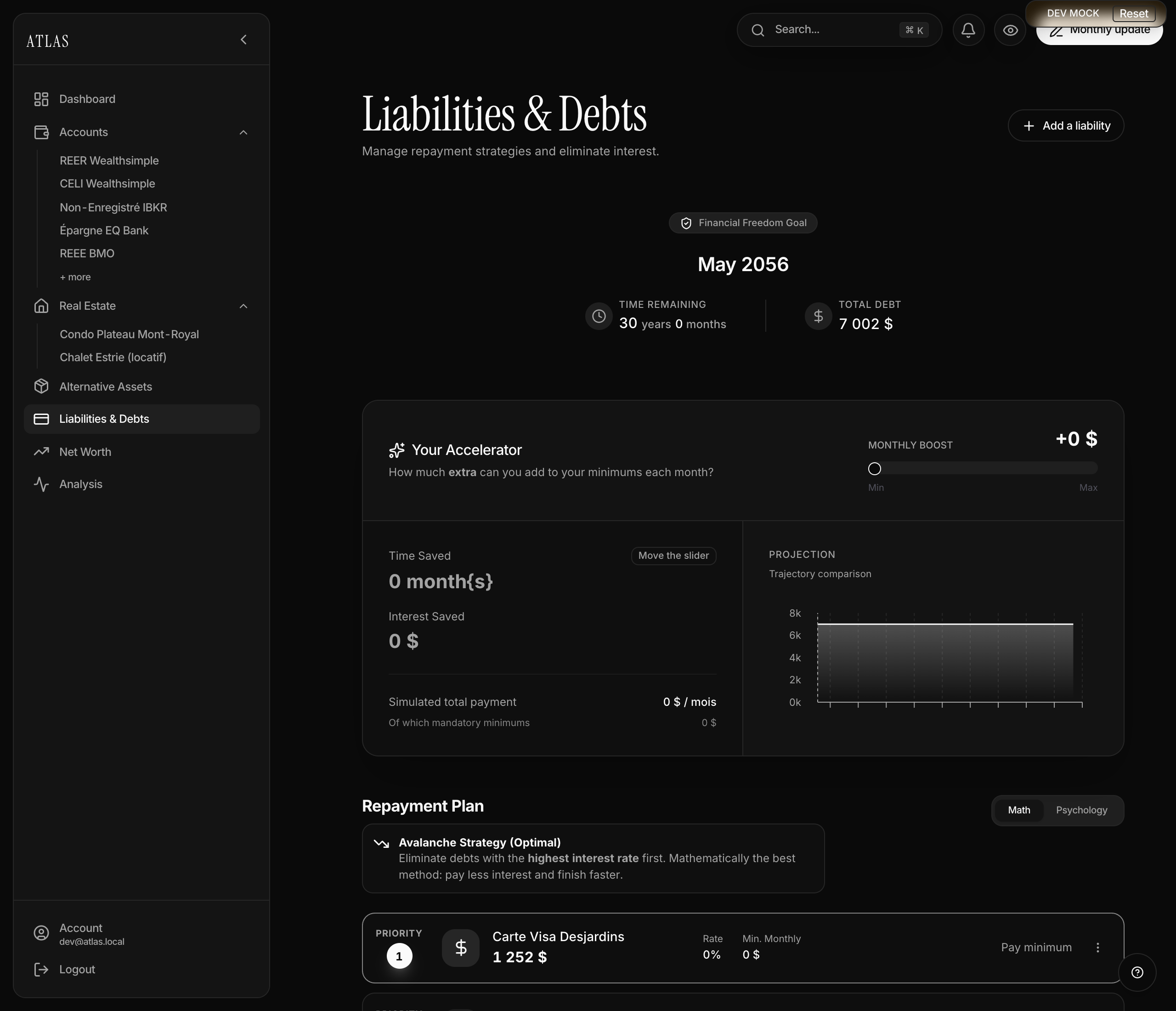
What the page shows
Three indicators at the top:
- Freedom date — the month the last debt is paid off, at your current pace.
- Time remaining — expressed in years + months.
- Total debt — the sum of remaining balances, in your primary currency.
Add a liability
Via Liabilities & Debts → + Add a liability. The form is short:
- Name (required).
- Type from 6 options: credit card, student loan, personal loan, auto loan, mortgage, other.
- Current balance (required).
- Annual interest rate in % (optional but useful for the Avalanche strategy).
- Minimum monthly payment (optional but useful for projections).
The repayment optimizer
This is the page's payoff. Above the liability list, the Accelerator: a slider that adds an extra amount to your monthly effort.
- The slider goes from $0 to
max($1000, sum of minimum payments). - Atlas recalculates in real time: time saved, interest saved, total simulated monthly payment.
- The chart compares the "no effort" trajectory (baseline) vs "with your boost".
Avalanche or snowball?
The toggle offers two strategies — pick whichever fits you:
- Avalanche (default): pay down the debt with the highest interest rate first. Mathematically optimal — you pay the least interest overall.
- Snowball: pay down the smallest balance first. Psychologically more motivating — you watch debts disappear sooner.
Linked liabilities (mortgages, Liabilities accounts)
Atlas automatically pulls in here:
- Any mortgage entered on a property detail.
- Any Liabilities-category account in My accounts (useful for, say, a student loan you track as an account).
These show up in the list with a "Linked" badge and are not editable from here — clicking Edit sends you to the source.