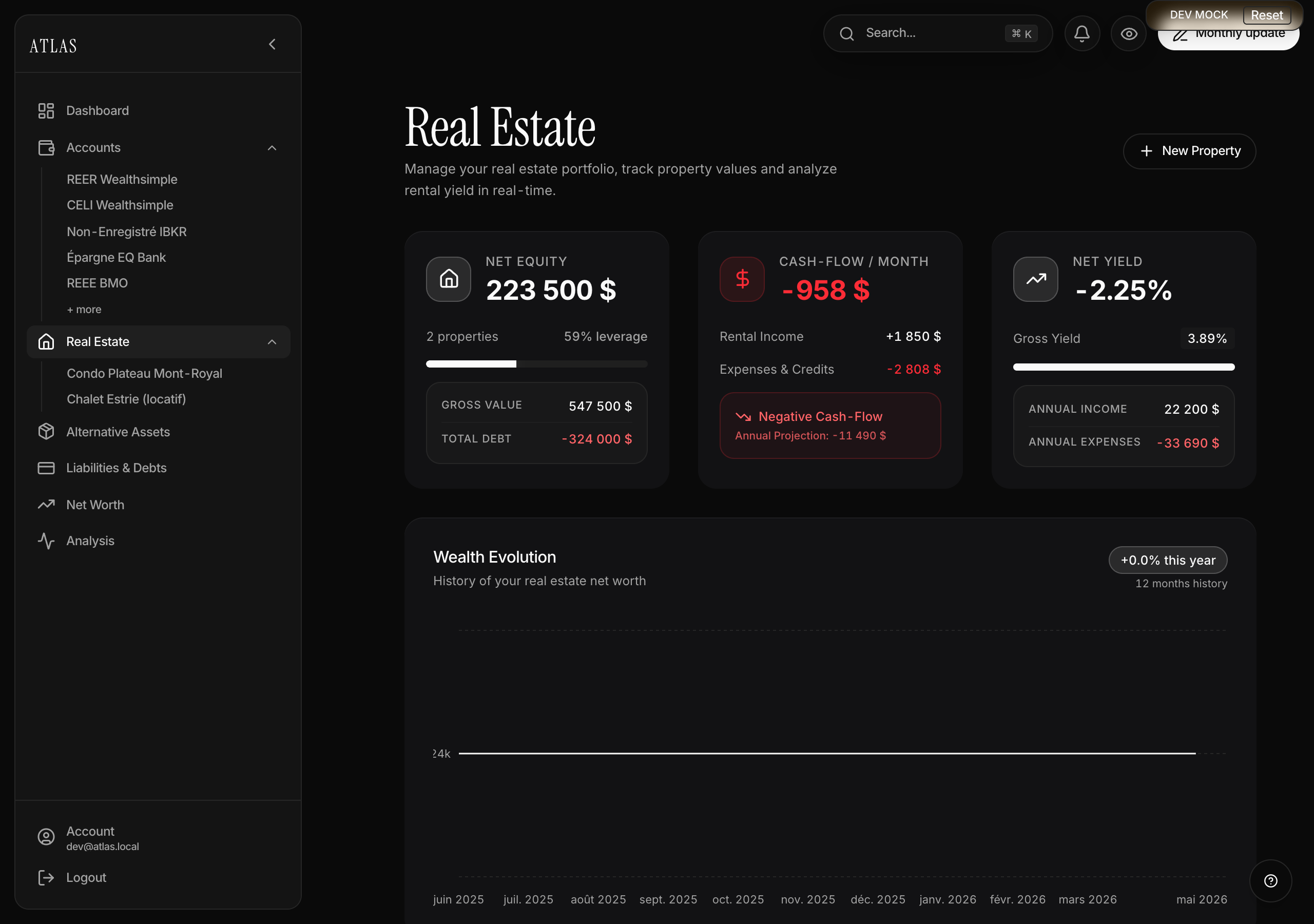
Atlas tracks every one of your properties with its mortgage, fees, rent, and trend over time. Everything is consolidated into dedicated KPIs: equity, cash flow, yield, ratios.
Add a property
Via Real Estate in the sidebar → + New Property. The form has 3 steps:
-
Basics
- Property type from 9 options: Primary residence, Secondary residence, Rental property, Condo, Duplex/Triplex, Cottage, Land, Commercial, Other.
- Name (required), address (optional), property value (required), purchase date (optional).
- Co-owners: 1 to 4 people. If > 1, Atlas asks for each person's share and checks that the total adds up to 100%.
-
Finances (all optional — leave at 0 what doesn't apply)
- Down payment, annual taxes, condo fees (monthly), monthly fees (management or other), monthly rent received.
-
Mortgage
- Toggle "Do you have a mortgage?". If yes: balance, rate, monthly payment.
KPIs to know
The Real Estate page shows 3 top cards: Real estate wealth (equity), Monthly cash flow, Net yield. The property detail page also breaks down:
- Gross value — the current declared value.
- Total debt — the mortgage balance (full amount, not your share).
- Monthly rental income and annual income (rent × 12).
- Monthly expenses & credits and annual expenses (taxes + condo + management + payment × 12).
- Monthly cash flow = rent − (mortgage payment + condo fees + monthly-equivalent taxes + management fees). Red if negative.
- Net yield = annual cash flow / property value × 100. Above 5% = a solid rental.
- Gross yield = (rent × 12) / property value × 100. Useful for comparing a property before accounting for costs.
On the detail page, Atlas also breaks down performance line by line (income → operating expenses → debt service → net cash flow), and estimates the principal / interest split of your monthly payment.
Tracking value over time
From the property page, Update value lets you enter:
- The new estimated value of the property.
- The new mortgage balance (which drops month after month as you repay).
- A date (today by default).
Atlas derives your equity for the month and stores it in the history.
The mortgage shows up automatically in My Liabilities
Any mortgage entered on a property is mirrored in My liabilities as a "linked liability". You see it in the repayment optimizer, but it's not editable from there — you have to go through the property page.