Your bank and investment accounts are the heart of Atlas. They drive your net worth, the trend charts, and almost every KPI. The more up-to-date they are, the more useful Atlas is.
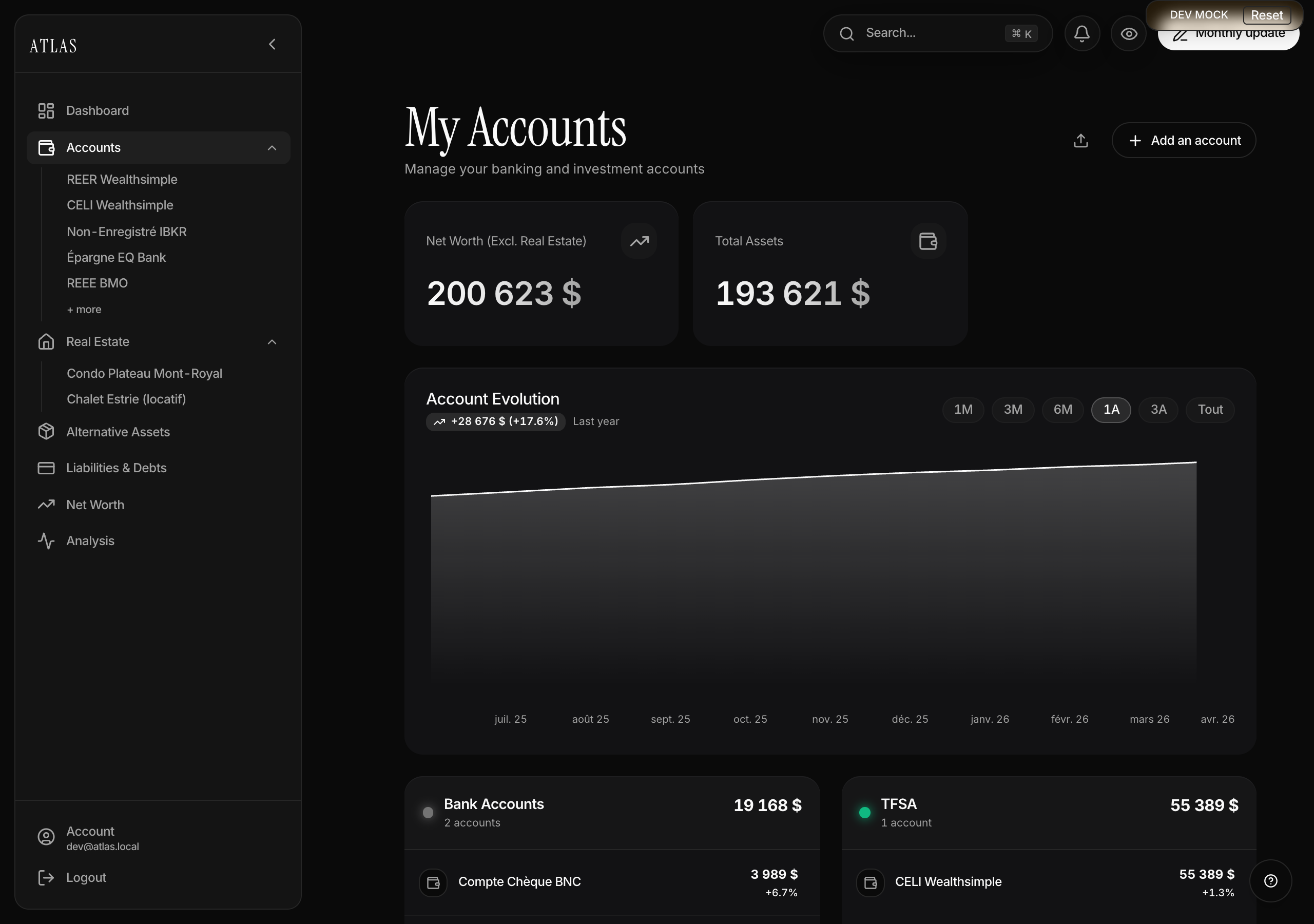
Add an account
- Open Accounts in the sidebar (or click any KPI card on the dashboard).
- Click + Add an account in the top-right.
- Pick one of the 6 categories: Bank Accounts, TFSA, RRSP, RESP, Non-Registered Investments, Crypto.
- Fill in:
- Account name (required) — e.g. "Checking BNC" or "TFSA Wealthsimple".
- Current balance (optional, defaults to 0).
- Currency — CAD, USD or EUR. Defaults to your profile currency.
- Connection link (optional) — URL to your institution's site/app. Handy for jumping in with one click at update time.
- Save. The account appears in the list, grouped by category.
Updating your balances
This is the move that makes Atlas useful. Atlas works in snapshots: a snapshot is a balance on a given date. You record one whenever you want — typically once a month, but nothing stops you from saving two in the same week or filling a six-month gap in history.
- Click Update balances in the top-right (pencil icon).
- Choose the snapshot date (today by default, past is allowed, future isn't).
- For each account grouped by category, enter the balance on that date in its currency.
- Save. The dashboard and trend chart refresh immediately.
Multi-currency
Each account keeps its own currency. Atlas automatically converts to your primary currency for dashboard totals, using rates refreshed daily.
For investment accounts
TFSA, RRSP, RESP, Non-Registered and Crypto accounts have an extra editable field: Total Invested (capital invested). Atlas uses it as the basis for the unrealized gain (current balance − total invested) and the % return. Fill it in when you add the account if you want to track your ROI.
The account detail page
Click an account in the list to open its detail page. You'll find:
- The current balance and 30-day change.
- For an investment account: the unrealized gain vs total invested.
- For a checking account: average balance, min/max, monthly net flow.
- For a liability: repayment rate, projected payoff date.
- A chart over the chosen range (1M, 3M, 6M, 1Y, 3Y, All), plotted on a real time axis — each snapshot is a point at its real date.
- The full history of snapshots, dated to the day.
Deleting an account
From the account → Edit → Delete. Deletion is immediate and permanent — every snapshot on the account goes with it, and Atlas asks for confirmation first.