The dashboard is the first page you see when you sign in. It answers three questions in order: how much do I have, how is it moving, and what should I be looking at.
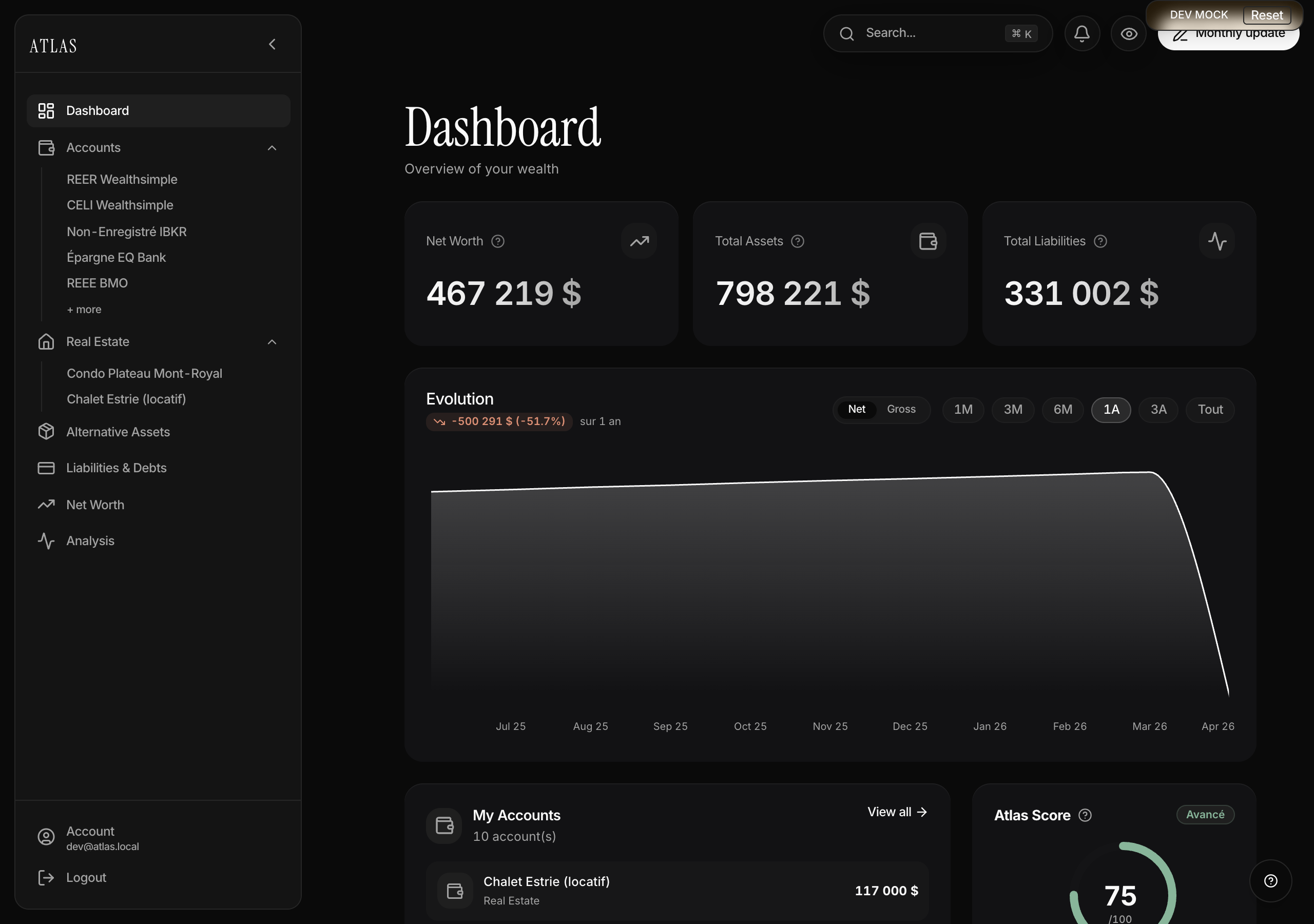
The three figures at the top
- Net worth — your assets minus your liabilities, in your main currency.
- Total assets — everything you own: accounts, real estate, alternative assets.
- Total liabilities — your loans, mortgages and other debts.
The Net / Gross toggle above the chart changes what the first card shows: net worth (debt deducted) or gross (assets alone). Useful for watching your debt payoff separately from your saving.
Atlas copilot
Below the figures, a full-width band opens a conversation with Atlas copilot. It reads your numbers — accounts, property, debts, budget, goals — and answers with reference to them. Three prompts are offered up front ("Summarise my situation", "Where am I losing money?", "Am I ahead on my goals?"), and you can of course write your own.
The evolution chart
The chart plots your wealth over time across six ranges: 1M, 3M, 6M, 1Y, 3Y, All. A badge under the title shows the change between the first and last point, in value and in percent.
The curve is drawn from your snapshots — a balance on a date. With no regular points there is nothing to plot: see My bank and investment accounts for how that works.
What's below
- My Accounts — your 4 highest balances, largest first. Each row opens the account; the full list is in the sidebar.
- Liabilities & Debts — the same on the debt side, with a shortcut to the payoff optimiser.
- Atlas Score — your financial health score out of 100. The card is clickable and leads to My budget and projections, where the four pillars are explained.
- Breakdown — your wealth by category, as a pie.
On a new account a welcome checklist appears at the top: three steps to a dashboard worth reading. It disappears once completed, and can be dismissed before that.
Keeping your figures current
For a dashboard that stays meaningful:
- Pick a cadence you'll keep — the 1st of the month, say. Atlas flags an account left untouched for more than 30 days.
- Don't skip accounts, even small ones: an approximate balance beats a missing one.
- If a figure looks wrong, click the indicator rather than recomputing by hand.
Finding something quickly
Global search (⌘K, or the field in the top bar) reaches any account, property or goal by name, without navigating.