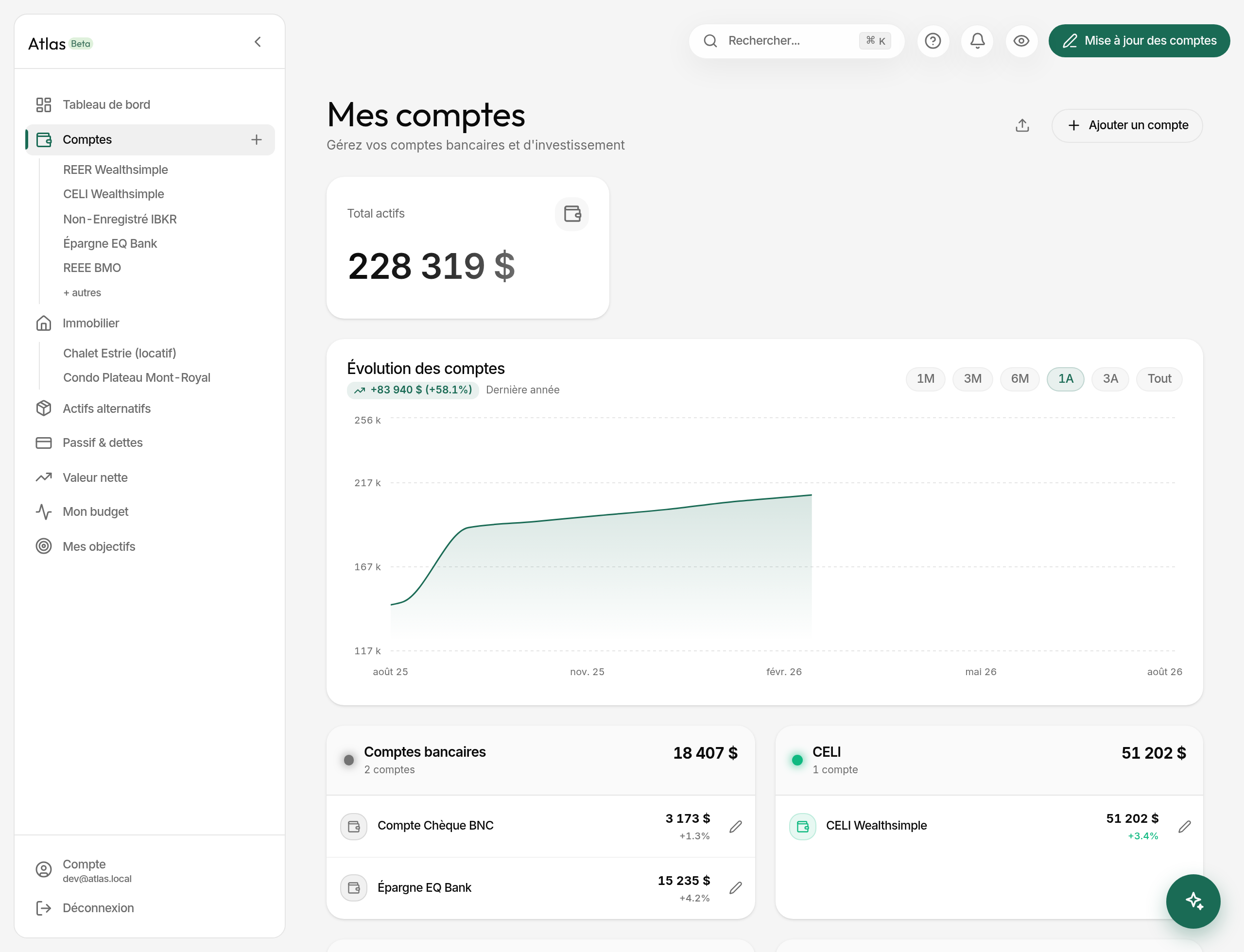
Your bank and investment accounts are the heart of Atlas. Net worth, the evolution charts and nearly every indicator depend on them. The more current they are, the more useful Atlas is.
Adding an account
- Open Accounts in the sidebar, or click one of the dashboard figures.
- Click Add an account.
- Pick one of the 6 categories: Bank accounts, TFSA, RRSP, RESP, Non-registered investments, Crypto.
- Fill in:
- Account name (required) — "BNC chequing", "Wealthsimple TFSA".
- Current balance (optional, 0 by default).
- Currency — your profile's by default, changeable here and later.
- Sign-in link (optional) — your institution's website, so you can get back to it in one click at update time.
- Save. The account joins the list, grouped by category.
The list shows up to 7 groups: the six creatable categories, plus Liabilities, which appears as soon as a debt exists. You don't create an account in that one — it fills itself from My debts and credits and from your properties' mortgages.
Updating your balances
This is the gesture that makes Atlas worth anything. Atlas works in snapshots: a balance on a date. Record one whenever you like — typically monthly, but nothing stops you entering two in the same week, or filling a gap six months back.
- Click Account update, top right (pencil icon).
- Choose the snapshot date: today by default, past allowed, future not.
- Enter the balance on that date for each account, in its own currency.
- Save. The dashboard and the charts refresh immediately.
Multi-currency
Each account keeps its own currency. Atlas converts to your main currency for totals, using rates refreshed daily.
For investment accounts
TFSA, RRSP, RESP, Non-registered and Crypto expose one more field: invested capital. Atlas uses it to compute the unrealised gain (current balance minus invested capital) and the percentage return. Fill it in when you add the account if you want to track performance.
An account's page
Clicking an account opens it:
- The current balance and its 30-day change.
- For an investment account, the unrealised gain against invested capital.
- For a chequing account, average balance, extremes, net monthly flow.
- For a liability, the payoff pace and the projected free-and-clear date.
- A chart over the chosen range (1M, 3M, 6M, 1Y, 3Y, All), on a real time axis: each snapshot is a point at its actual date.
- The full snapshot history, to the day.
Deleting an account
From the account, Edit then Delete. It disappears from the screen at once and a notification offers Undo for 7 seconds.