Cars, watches, art, wine, jewellery, trading cards, instruments — anything that is neither a financial account nor a property is managed here. Atlas tracks its value over time and folds it into your wealth.
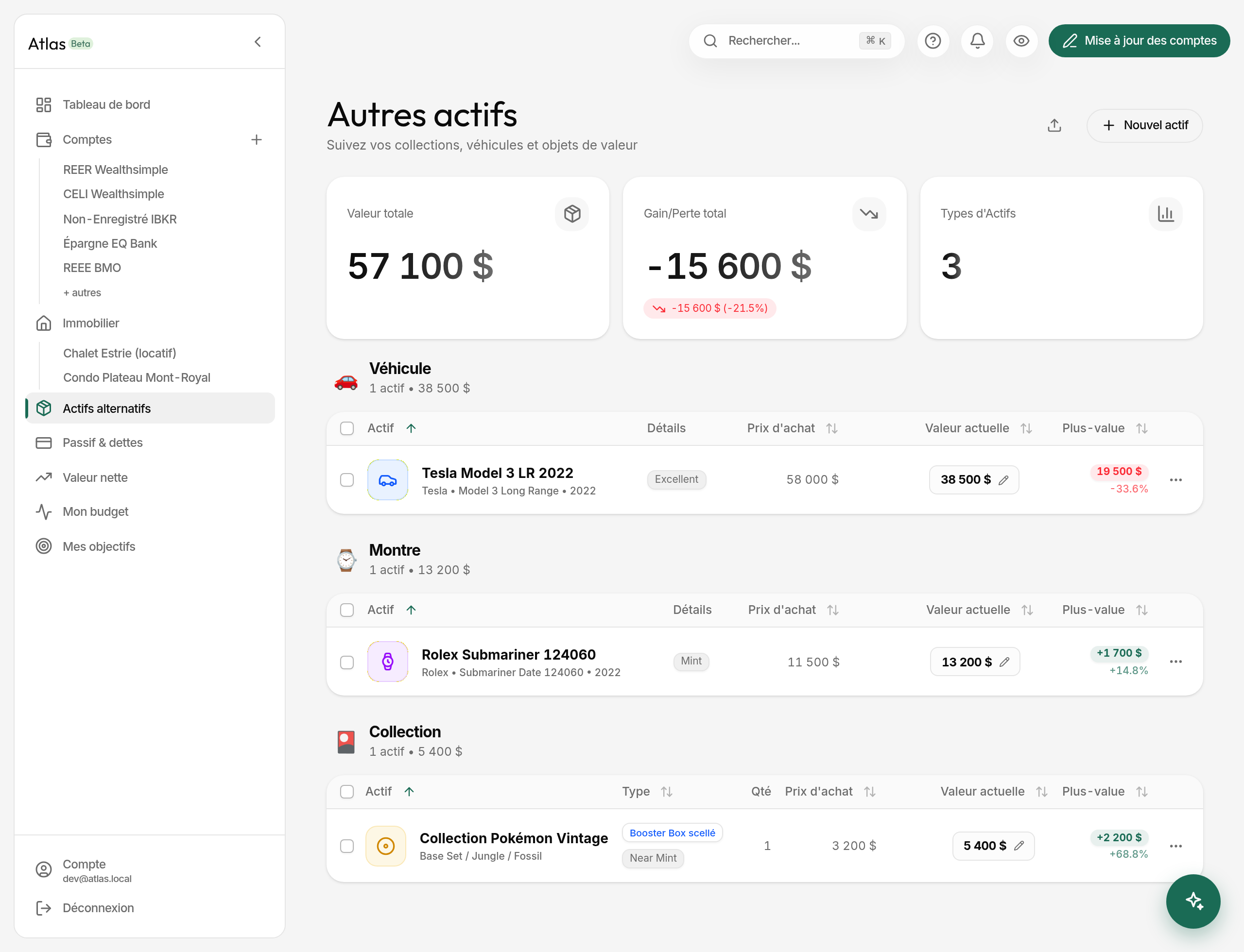
What the page shows
Three cards at the top:
- Total value — every asset, converted to your main currency.
- Gain or loss — the sum of
(current value − purchase price) × quantity, with its percentage. - Number of categories — how many different families you track.
Assets are then grouped by category, each group showing its total and its count.
Adding an asset
Open Alternative Assets in the sidebar — the page is titled Other Assets — then New asset. The form is 2 or 3 steps depending on type.
-
The type, among 8 categories: Vehicle, Watch, Collection, Art, Jewellery, Wine & Spirits, Musical instrument, Other.
-
General information
- Name (required) and current value (required).
- Purchase price (optional) — this is what makes the gain calculation possible.
- Acquisition date (optional).
- Link (optional) — to a listing, a product page, a price reference.
- Photo (optional) — an image URL.
- Quantity (1 by default) — for an identical lot: ten bottles of the same vintage, three prints from one series.
-
Type-specific fields, where they apply: make, model, year and mileage for a vehicle; make, model, year for a watch; artist and year for a work; producer and vintage for wine. A Collection adds a step: the item type among 12 (trading card, sealed booster box, ETB, boxed set, figurine, statue, limited edition…), the set name and the language (FR, EN, JP, Other).
Updating a value
Two ways:
- Quick update from the list — click the amount, edit in place, confirm. The new value is dated to the current month.
- Full edit from the asset — every field, including purchase price and quantity.
Atlas keeps a monthly history of each value, which feeds the asset's chart.
Gain and loss
The badge is green on a gain, red on a loss, and each row shows its own.
What about crypto?
Crypto is not an alternative asset. To track your positions, create a Crypto account from My bank and investment accounts: the bulk balance update then catches them along with everything else.
Deleting an asset
From the asset, Delete. It disappears from the screen and a notification offers Undo for 7 seconds. After that, the deletion is permanent and the value history goes with it.