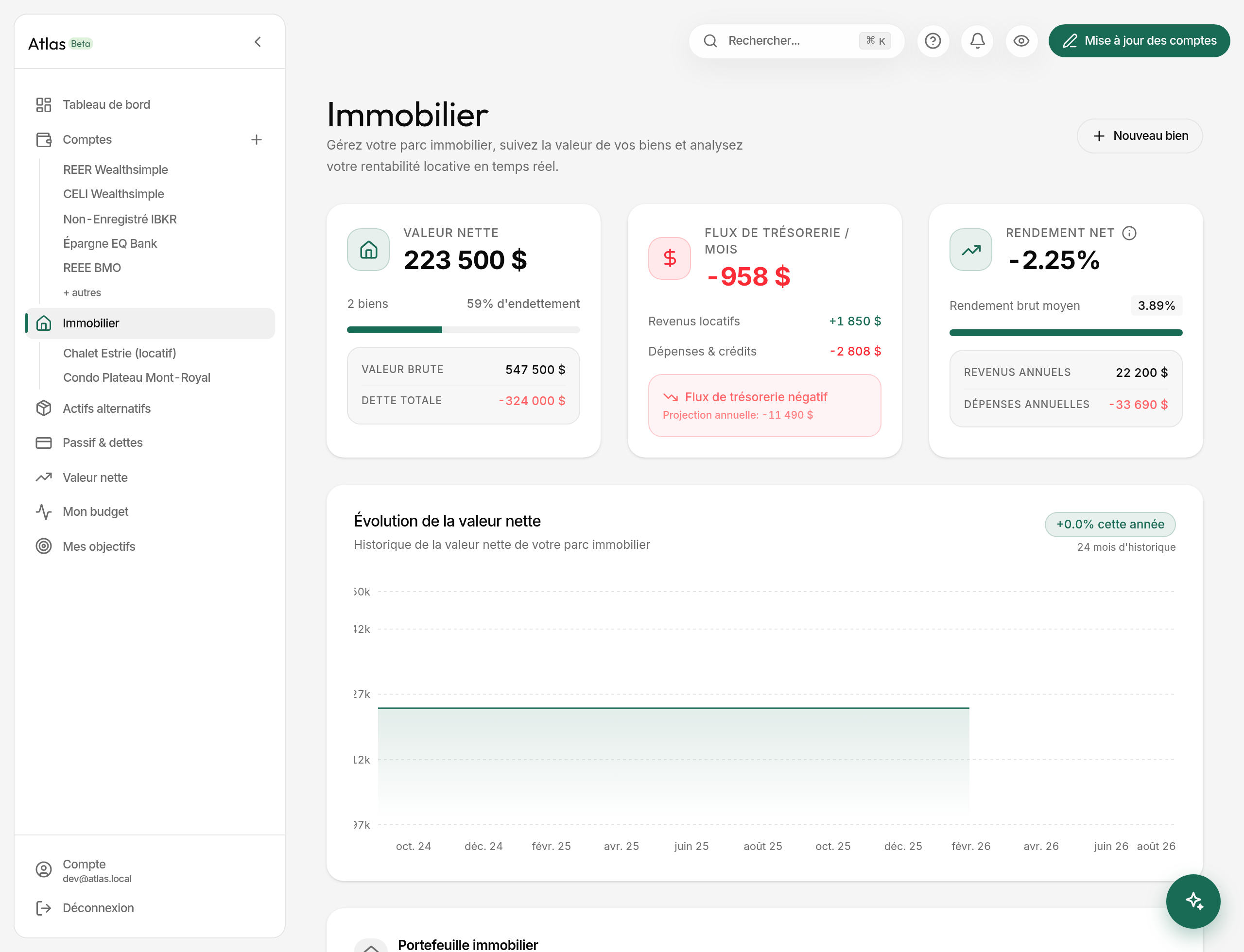
Atlas tracks each of your properties with its mortgage, costs, rent and value over time — consolidated into dedicated figures: equity, cash flow, yield.
Adding a property
Open Real Estate in the sidebar, then New property. The form is 3 steps.
-
Basics
- Property type among 9: Primary residence, Secondary residence, Rental property, Condo, Duplex/Triplex, Cottage, Land, Commercial, Other.
- Name (required), address (optional), property value (required), acquisition date (optional).
- Co-owners: 1 to 4. Beyond one, Atlas asks for each share and checks they sum to 100%.
-
Finances — all optional, leave at 0 what doesn't apply: down payment, annual taxes, monthly condo fees, other monthly costs, rent received.
- You live in this property — the switch that decides everything the page shows afterwards (see below). Pre-filled from the type, and editable: a duplex you occupy one unit of ticks this box and carries rent.
- Expected annual growth — how much prices rise each year in your area. Used for the projection only.
-
Mortgage — if there is one: balance, rate, monthly payment.
What the page shows depends on how you use the property
A yield only means something on an investment. Atlas therefore sorts each property into one of 3 readings, from two answers — you live in it and it earns rent:
| You live in it | Rent received | Reading | What is shown |
|---|---|---|---|
| Yes | No | Personal | Cost of ownership, in neutral colours |
| Yes | Yes | Lived in + rented | Net cost after rent, and the share of expenses it covers |
| No | Yes (or rental building) | Rental | Cash flow and yields |
On a property you live in, Atlas shows no yield at all. That is deliberate: the cost of a roof is not a bad investment, and on a duplex where you occupy one unit the rent comes from part of the building while the value and the mortgage cover all of it — the yield would come out negative while describing nothing real.
For the same reason, the Net yield card on the Real Estate page averages your rental properties only, and the number of properties covered is shown under the percentage.
The figures
A property's page details:
- Gross value — today's declared value.
- Total debt — the mortgage balance in full, not your share.
- Cost of ownership (personal property) = payment + condo + monthly taxes + management. An expense, never presented as a loss.
- Monthly cash flow (rental) = rent − those same expenses. Red when negative — there, it is a real signal.
- Net yield (rental) = annual cash flow / property value. Above 5%, a rental is solid.
- Gross yield (rental) = (rent × 12) / property value. Useful for comparing two properties before costs.
The page also breaks performance down line by line — income where there is any, operating costs, debt service, result — and estimates the principal / interest split of your payment.
Tracking value over time
From the property, Update value lets you enter a new estimated value, a new mortgage balance, and a date. Atlas derives your equity and records it.
Projecting value
Fill in the expected annual growth for your area and the page gains a Value projection card: property value, mortgage balance and equity at 5, 10 or 25 years.
The two halves of that calculation are not the same kind of thing, and the card says so. The debt is computed exactly — each payment removes its share of principal, at your real cadence and on semi-annual compounding. The market value simply applies the rate you entered: it is your assumption about your market, not an Atlas forecast — Atlas has no property-price source. With no rate entered, nothing is projected.
That assumption also feeds Update value: once more than a month has passed since your last estimate, a shortcut offers the value it implies, rounded to the dollar. Overwrite it freely — it is a starting point, not an appraisal.
The mortgage shows up in your debts
Any mortgage entered on a property is replicated into My debts and credits with a "Linked" badge. It counts in the payoff optimiser but is not editable there — a button takes you back to the property, which remains the source.